Wall Calendar 2023: A Practical Guide for Designers and Creators
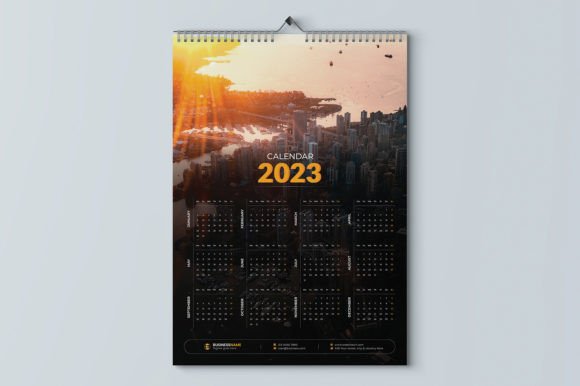
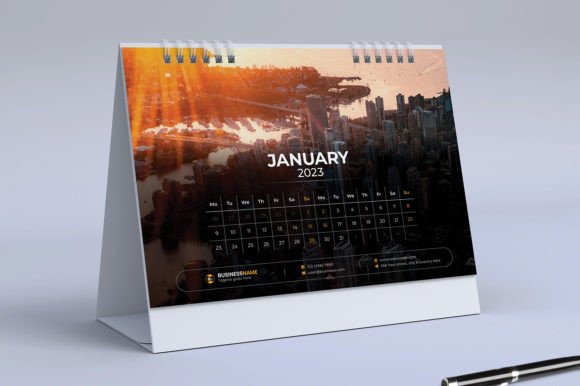
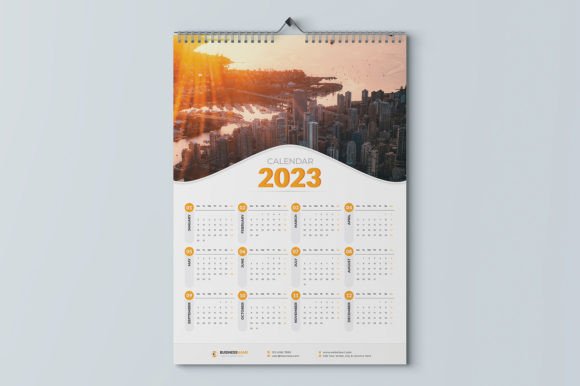
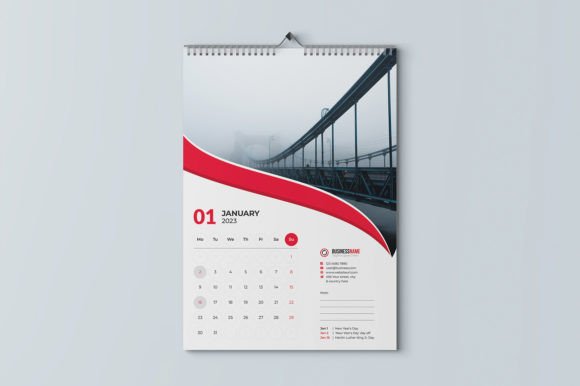
When you're planning your marketing materials or personal organization for the year, the right design assets can save you hours of work and elevate your final product. The Wall Calendar 2023 template is built for exactly that purpose. It’s not just a grid with dates; it’s a professionally structured, print-ready file designed to give you a polished result without starting from a blank canvas. The appeal lies in its clean, modern typography and flexible layout, which provides a strong visual foundation that you can adapt to various brand identities or personal styles. The overall personality is one of clarity and professionalism, making it suitable for both corporate environments and creative studios.
Where This Template Shines
This isn't a one-size-fits-all solution, but it excels in specific, practical scenarios. For entrepreneurs and small business owners, it's a quick way to create branded calendars as client gifts or promotional items. Marketers and content creators can use it to plan editorial schedules visually, then print it for their office wall. Crafters and hobbyists will appreciate the ease of customization for family gifts or club fundraisers. The included Ai, Eps, and Pdf formats ensure compatibility with common design software, though a basic familiarity with Adobe Illustrator is key to unlocking its full potential. The 11.69 x 16.54 inch size with bleed is a standard A3 dimension, making it easy to source printing from most local or online print shops.
Making It Your Own: Practical Editing
The real value is in the editability. Because the file is structured in Illustrator, you have control over every element. You can change the color scheme in seconds to match your brand's CMYK values, swap out placeholder images for your own photography or illustrations, and adjust the included fonts if needed—though the provided typefaces are chosen for their readability and modern aesthetic. A common mistake is overcomplicating the design. The template's strength is its hierarchy: clear month headings, legible date grids, and ample space for imagery or notes. When you edit, focus on maintaining that hierarchy. Use the CMYK color mode and 300 DPI settings to ensure your printed calendar looks crisp and professional, avoiding the dull colors that can come from RGB files sent to print.
Design Decisions That Impact Your Final Product
Think beyond just changing the dates and photos. Your font choices, even within the template's constraints, influence how the calendar is perceived. The included fonts are likely a mix—a clean sans serif font for dates and a more distinctive display font for month headings. This is a classic font pairing strategy that creates visual interest while ensuring functionality. If you decide to substitute fonts, test them at the actual print size. A script or handwritten font might look charming on screen but become illegible when printed small. Consistency is key; using the same typeface family across your calendar and other marketing materials reinforces your brand identity.
Consider the images you include. The template notes that photos are not included, which is common for customizable assets. Choose high-resolution images that complement the calendar's style. A busy, complex image might clash with detailed date grids. Sometimes, a solid color block, a subtle texture, or a minimalist illustration works better than a photograph, allowing the dates to remain the focal point. This is where your role as a designer or creator comes in—you're not just filling in blanks, you're making intentional design choices that affect usability and appeal.
From File to Finished Piece
The workflow is straightforward: download the file, open it in Illustrator, customize the layers for each month, and export your print-ready PDF. Remember to include the .25″ bleed in your final export to avoid white edges after trimming. The print-ready specifications mean you don't need to adjust resolution or color profiles, which removes a common point of error. For those less familiar with print production, this is a significant advantage—it's designed to work correctly with professional printers out of the box.
Ultimately, the Wall Calendar 2023 template is a practical design asset. It saves time, ensures a professional standard, and provides a flexible starting point. Whether you're creating a calendar to sell, to give away, or to organize your own year, it offers a reliable foundation. The best results come from treating it as a starting point for your creativity, not a finished product. Make thoughtful edits, test your changes, and you'll end up with a calendar that looks custom-made and functions beautifully on any wall.