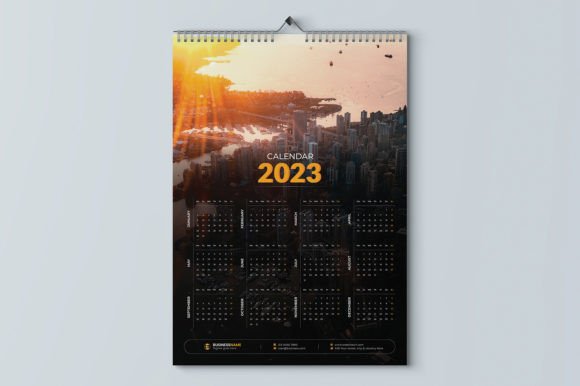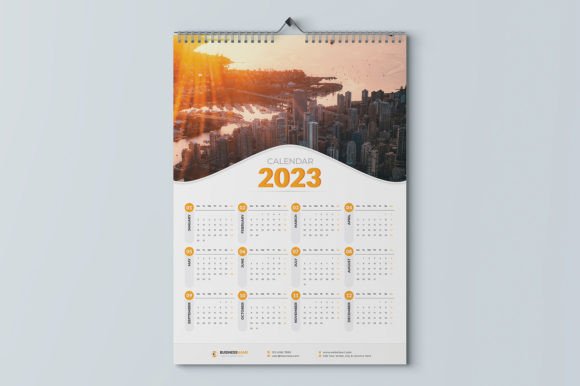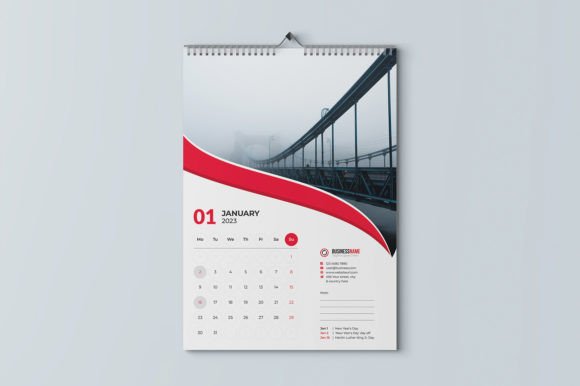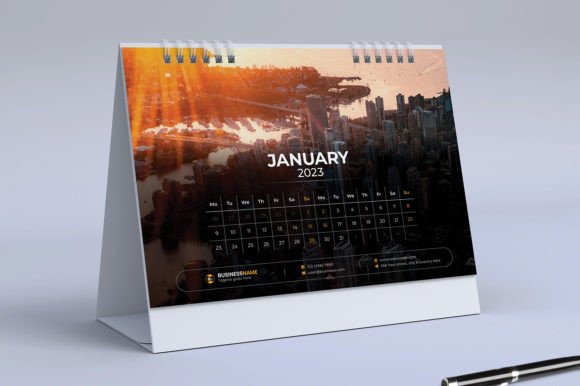
Desk Calendar 2023: Your Practical Design Solution
There is a distinct satisfaction in holding a finished piece of print that looks professional, but the path to getting there is often cluttered with technical headaches. If you are a small business owner or a content creator, you likely have the vision for a beautiful branded calendar but lack the hours to build the grids and bleeds from scratch. This is where a well-structured Desk Calendar 2023 template becomes less of a luxury and more of a strategic necessity. It is not just about marking dates; it is about creating a tangible brand touchpoint that sits on a client’s desk for twelve months.
Unlike a complex web project, this design asset focuses on immediate usability. The core appeal of this specific Desk Calendar 2023 template lies in its accessibility. You do not need to be a seasoned vector artist to make it work. If you possess the very basics of Illustrator—knowing how to unlock a layer or drop in an image—you have the skills required to customize this file. The structure is already built with print-ready 300 DPI settings and CMYK color mode, meaning you eliminate the most common technical errors that plague self-publishers: wrong resolution and incorrect color space.
Streamlining Your Workflow with Editable Formats
One of the biggest hurdles in design production is file compatibility. We have all received a file format that refuses to open or corrupts our fonts. This Desk Calendar 2023 template addresses that by offering a suite of file formats: Ai, Eps, Pdf, and a Help file. This variety ensures that whether you are a designer working natively in Adobe or someone trying to send a quick edit to a print shop, the file remains stable.
The dimensions are set to 8.2 x 5.8 inch + .25″ bleed. For those not versed in editorial design, the bleed is the unsung hero of printing. It is that extra margin of ink that ensures your background color or image extends all the way to the edge of the paper after it is cut. Including this in the template prevents those awkward white slivers that ruin the finish of a premium font project.
Typography and Readability
A calendar is a functional tool first and a piece of art second. If the dates are hard to read, the design fails. This template takes the guesswork out of layout by incorporating fonts included in the downloadable file. When you use the pre-selected typeface, you are ensuring a strong visual hierarchy. The interplay between the headers and the date numbers has been tested for readability, which is crucial for brand perception. A messy, poorly spaced calendar suggests a lack of attention to detail in your business; a clean, well-typeset calendar suggests professionalism.
While the template comes with its own creative font choices, the layout is flexible enough to support your own brand identity. If you have a specific sans serif font or serif font that defines your brand voice, you can swap the styles easily. This flexibility is vital for logo design integration and maintaining brand consistency across your marketing materials.
Practical Applications for Entrepreneurs and Creatives
The utility of a Desk Calendar 2023 template extends far beyond personal organization. For marketers and entrepreneurs, this is a tangible product that can be sold or gifted. Imagine a real estate agent gifting a branded calendar to past clients, or a boutique shop selling a calendar featuring their own product photography. Since photos are not included in the file, the canvas is blank for your specific imagery.
Here are a few ways to leverage this asset:
- Client Retention Gifts: Customize the header with your logo and use the monthly pages to highlight specific services or products throughout the year.
- Content Marketing: Bloggers and influencers can create a "Best of" calendar featuring their top content from the previous year, using the template to ensure the layout looks professional.
- Packaging Design: If you run a subscription box, a mini-calendar insert adds value and shows modern typography trends that appeal to a design-savvy audience.
- Social Media Graphics: You can use the monthly pages as templates for Instagram or Pinterest posts, creating a cohesive aesthetic between your digital presence and physical products.
Evaluating Project Fit and Font Pairing
Before you commit to the customization process, take a moment to evaluate if the style of the template matches your audience. The Desk Calendar 2023 design is versatile, but it shines brightest when used with clean, modern imagery. If your brand leans towards a rustic, handwritten font aesthetic, you may need to swap out the default typography for a script font to match the vibe.
Testing font pairing is a step many skip, but it is essential. Try pairing the included display font with a neutral body text if you plan on adding large blocks of descriptive text. The goal is to avoid visual noise. You want the viewer to glance at the calendar and instantly know the date, while still absorbing the brand identity you have embedded in the design.
Finalizing for Print
The transition from screen to paper is where many projects stumble. Because this file is print-ready, you are saving yourself a significant amount of troubleshooting. However, always double-check your image links in Illustrator before exporting. Ensure that any photos you add are high resolution to match the 300 DPI requirement of the template.
When you are ready to output the file, the Pdf format is generally the safest bet for commercial printers, though the Ai and Eps files are perfect if your printer prefers to handle the final imposition. By starting with a solid foundation like this Desk Calendar 2023 template, you are not just printing a calendar; you are producing a piece of commercial design that reflects the quality of your work. It bridges the gap between amateur DIY and professional publishing, ensuring your brand stays top-of-mind all year long.