Naturalist: A Versatile Template for Modern Storytelling
Finding the right visual foundation for a presentation can feel like searching for a needle in a digital haystack. You need something that looks polished and professional, yet flexible enough to adapt to your specific message. This is where the Naturalist presentation template by Jowo Creative Project enters the conversation. It’s not just a collection of slides; it’s a structured system designed to help you communicate ideas clearly, whether you're pitching to investors, showcasing a portfolio, or teaching a class.
Understanding the Visual Language of Naturalist
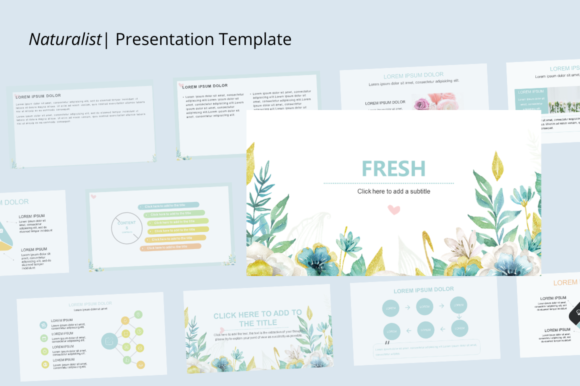
At its core, the Naturalist template embodies a clean, contemporary aesthetic. It leans into a balanced composition, using ample white space to let your content breathe. The design language is approachable—it avoids overly sterile corporate grids in favor of layouts that feel more organic and engaging. Think of it as a neutral yet stylish canvas. The default color palette tends toward earthy, muted tones, which immediately gives presentations a grounded, trustworthy feel. However, the true strength lies in its customizability. Every shape, chart, and text block is fully editable, allowing you to shift the personality from serene and professional to bold and energetic with just a few color and font adjustments.
The template includes up to 30 slides, offering a robust library of layouts. You’ll find dedicated slides for team introductions, project timelines, data visualization through clean charts, and impactful quote slides. This variety means you can build a cohesive narrative without repeating the same visual structure, keeping your audience visually interested from the first slide to the last.
Where This Template Truly Shines: Real-World Applications
The versatility of Naturalist makes it a valuable asset across numerous fields. For entrepreneurs and startup founders, it provides the perfect framework for a pitch deck. The clean layouts help present complex business models and financial projections in an understandable way, building credibility with potential investors. The 16:9 ratio is standard for modern screens, ensuring your presentation looks sharp in any boardroom or on any projector.
For creative agencies and photographers, the template acts as a dynamic digital portfolio. The image placeholders are designed for high-impact visuals, allowing your work to take center stage. You can easily drag and drop your photography, design mockups, or campaign results into the pre-built frames. This is particularly useful for client meetings where you need to showcase a range of skills quickly and effectively.
Educators and students will also find immense value here. The structure is ideal for breaking down complex topics into digestible segments. A history teacher could use the timeline slides to map out events, while a biology student could use the diagram-friendly layouts to explain cellular processes. The ease of editing means you can focus more on your research and less on wrestling with slide formatting.
Practical Guidance for Implementation
Adopting a new template into your workflow is straightforward with Naturalist. The first step is to assess your content. Before you start moving boxes around, outline your presentation's key points. This helps you choose the most appropriate slides from the 30 available options. For a company profile, you might start with a mission statement slide, followed by team bios, and then service breakdowns.
Next, consider your font pairing. The template is built to be compatible with a wide range of typefaces. If your brand uses a specific serif font for headings and a sans serif font for body text, you can easily apply these throughout. The editable text blocks mean you're not locked into the template's default typography. This is crucial for maintaining brand identity and ensuring your presentation feels like a seamless extension of your other marketing materials.
Color customization is another key step. The provided color scheme is a starting point. Use your brand’s hex codes to update the accent colors, shapes, and chart elements. This small change transforms the template from a generic design into a personalized communication tool. Remember, consistency in color and typography across your slides reinforces professionalism and aids in audience retention.
Maximizing Impact and Efficiency
The true value of a tool like this is measured in time saved and impact gained. The drag-and-drop functionality for images is a significant efficiency booster. Instead of manually resizing and cropping every photo, you can simply select the placeholder and insert your image. This is a lifesaver for content creators who produce multiple presentations a month, from social media strategy decks to workshop outlines.
Furthermore, the included icon vector set adds another layer of visual communication. Icons can quickly convey concepts—like a lightbulb for ideas or a chart for growth—without cluttering your slides with text. Using these strategically can make your data more accessible and your key points more memorable.
Ultimately, the Naturalist template is a practical design asset. It respects your time by providing a professional, ready-to-use structure while giving you the creative freedom to make it your own. Whether you're a small business owner crafting your first investor pitch or a seasoned marketer developing a new campaign presentation, this template offers a reliable and adaptable starting point for clear, compelling storytelling.