Craft a Professional Brand with This Canva Style Guide
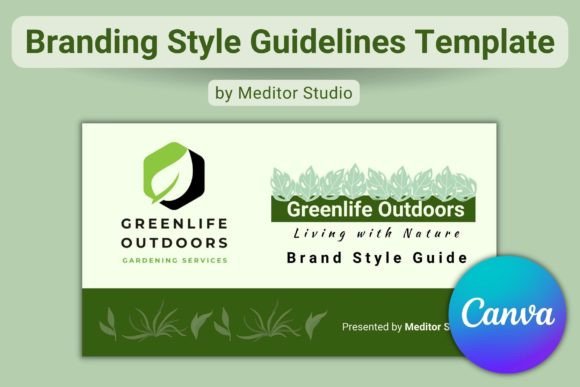
Building a memorable brand requires more than just a logo; it demands consistency. When your website looks different from your Instagram feed, and your packaging doesn't match your email headers, you dilute your brand's power. This is where a Branding Style Guide becomes your most valuable asset. Instead of hiring an expensive agency or struggling with complex software, you can use a specialized Branding Style Guide Canva Template to map out your entire visual identity. This specific template is designed to be a practical, reusable roadmap for anyone—from entrepreneurs and bloggers to graphic designers and content creators.
The true value of this resource lies in its accessibility. It is a 19-page landscape presentation (1980x1020 px) that functions entirely within the Canva FREE account ecosystem. You do not need to be a professional typographer to use it. The template focuses on the practical application of design assets. It allows you to drop in your specific logo design elements, select your color palettes, and define your font pairing strategy. The visual style of the guide itself is clean and modern, utilizing a grid-based layout that prioritizes clarity. It avoids clutter, ensuring that the focus remains on the brand assets you input, rather than the template's decoration. This makes it an ideal starting point for brand identity projects where the goal is professional documentation without the steep learning curve.
Why a Visual Identity Guide Matters for Every Business
Many small business owners and content creators underestimate the psychological impact of consistency. When a potential customer sees a consistent visual language across your digital and print materials, it builds subconscious trust. This Branding Style Guide Canva Template helps you achieve that trust by forcing you to make deliberate decisions about your visual hierarchy. It guides you through defining primary and secondary colors, establishing clear rules for web design versus social media graphics, and ensuring your packaging design aligns with your editorial look.
Consider the role of typography in this ecosystem. While the template allows you to input any typeface, it encourages you to think about how those fonts function. A premium font might look stunning in a header, but is it readable in a paragraph? The guide prompts you to define the usage rules for your chosen serif font or sans serif font. For instance, you might decide that a display font is strictly for headlines to maximize impact, while a clean sans-serif is reserved for body text to ensure readability. This separation of function is a hallmark of professional editorial design. By documenting these rules in your style guide, you ensure that whether you are designing a flyer or a Facebook ad, the voice remains the same.
Practical Application: From Template to Brand System
Once you open the Canva link, the user guide included in the download will walk you through the basics, but the real work begins with your content. Start by populating the "Logo Usage" section. This is not just about placing your logo in the center; it is about defining clear space and minimum sizes. Next, move to the color palette section. The template provides ample space to showcase your primary, secondary, and accent colors alongside their hex codes. This is crucial for maintaining accuracy across different screens and printing services.
The typography section of this Branding Style Guide Canva Template is particularly robust. It allows you to display your chosen creative font stack alongside its weights and styles. If you utilize a script font or handwritten font for decorative elements, this is the place to define when and where it should be used. A common mistake in modern typography is overusing decorative fonts, which can hurt readability. The template helps you visualize these pairings side-by-side, making it easier to evaluate if your headline font complements your body text. You can also use the pages dedicated to patterns and imagery to set the mood. Are your photos bright and airy, or dark and moody? Defining this ensures that your marketing materials feel cohesive.
Maximizing the Template for Long-Term Growth
A style guide is a living document. As your business evolves, your visual identity may need subtle shifts. Because this is a reusable Canva file, you can duplicate it for different sub-brands or seasonal campaigns. For example, a publisher might use the base template for their main magazine but create a variation for a special holiday insert. The flexibility of the design assets within the file means you are not locked into a rigid structure.
For entrepreneurs and marketers, this tool bridges the gap between having a vague idea of your brand and having a concrete system. It removes the guesswork for virtual assistants or freelance designers you might hire later. Instead of explaining your aesthetic verbally, you can hand them this PDF. It speaks the language of design, covering everything from commercial font licensing notes (if you choose to add them) to specific image filters. By investing a small amount of time to customize this Branding Style Guide Canva Template, you are effectively future-proofing your brand's consistency. It transforms your business from a hobbyist operation into a recognized entity with a clear, professional presence.
Ultimately, the goal of any branding project is recognition. When your audience can recognize your content before they even see your name, you have succeeded. This template provides the structure to make that happen. It strips away the complexity of design theory and focuses on actionable steps. Whether you are a crafter selling on Etsy or a small business owner launching a new service, having this documented guide ensures that every touchpoint—from your business cards to your website—tells the same compelling story. It is not just a document; it is the blueprint for how the world sees you.