Benjamina: A Modern Typeface for Dynamic Presentations
Finding a presentation template that balances professionalism with creative flair can be a real challenge. You need something that looks polished for a client pitch but also flexible enough for a school project or a portfolio review. This is where the Benjamina template from Jowo Creative Project steps in, offering a versatile foundation for a wide range of visual communication needs. It’s not just a set of slides; it’s a design system built for adaptability.
More Than Just Slides: A Visual Toolkit
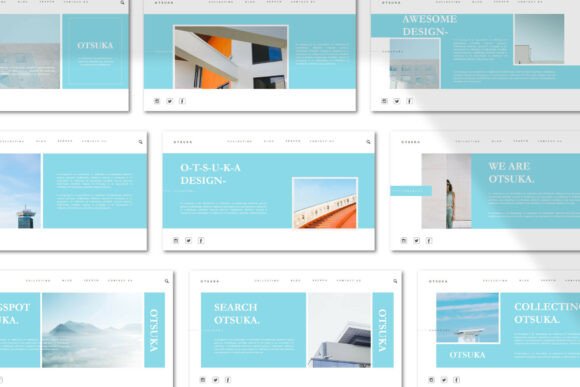
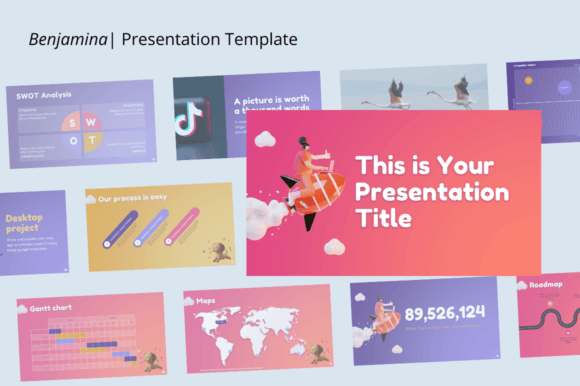
Benjamina presents itself as a clean, modern template with a clear visual hierarchy. The design leans towards contemporary aesthetics, using ample white space, structured layouts, and a cohesive color palette that you can easily modify to match your own brand identity. Its personality is one of organized creativity—professional enough for a company profile yet engaging enough for a creative agency showcase. The overall appeal lies in its structured flexibility. You get the benefit of a designer's eye for layout without being locked into a rigid style.
The template’s strength is its multi-purpose nature. It’s explicitly designed for business proposals, portfolio displays, company overviews, photography presentations, and educational settings. This makes it a practical asset for entrepreneurs, educators, and marketers who often need to communicate different messages to different audiences but want to maintain a consistent level of quality. The drag-and-drop functionality and editable shapes mean you’re not just filling in blanks; you’re customizing a framework to tell your specific story.
Practical Applications Across Industries
For a small business owner, Benjamina can serve as the backbone for investor pitches, internal team updates, or client-facing project summaries. The 16:9 aspect ratio is standard for most modern displays, ensuring your presentation looks sharp in any conference room or webinar. The ability to insert pictures with a single click streamlines the process of adding real-world context to your slides, whether it’s product shots, team photos, or project snapshots.
In a creative agency or freelance context, this template becomes a powerful tool for portfolio presentations. You can showcase photography work, design case studies, or campaign results in a layout that frames your content without overwhelming it. The customizable graphics allow you to adjust the visual mood—swap out icons, change chart colors, and modify text styles to align with the aesthetic of the project you’re presenting. This level of control helps reinforce your brand’s attention to detail and design sensibility.
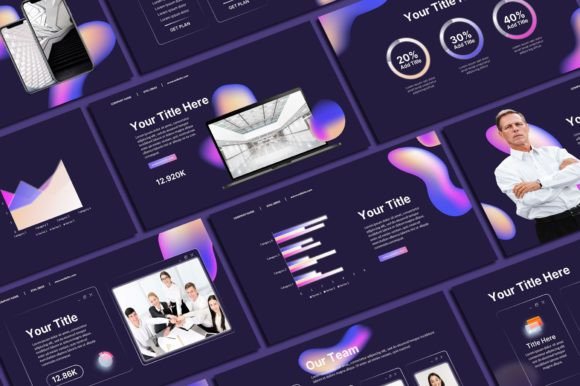
For educators and students, the school-focused applications are just as valuable. Benjamina can structure lesson plans, research presentations, or administrative reports in a clear, digestible format. The editable charts are particularly useful for presenting data in academic projects, turning dry statistics into visual narratives. The template’s clean lines and logical flow support better information retention, which is crucial in an educational setting.
Key Features That Empower Your Workflow
The core features of Benjamina are built around efficiency and customization. With a total of 40 slides, you have ample room to develop complex ideas without running out of space. Every graphic element—images, shapes, fonts, and colors—is resizable and customizable, which means the template can grow and adapt as your project evolves. This isn’t a static document; it’s a dynamic workspace.
The included files add another layer of utility. You receive the PPTX or PPT file for immediate use, a documentation file to help you navigate the template’s features, and an icon vector pack. These icons are randomly curated but serve as a useful starting point for visual metaphors in your presentations. Having these assets bundled together saves you time searching for complementary design elements and helps maintain visual consistency across your slides.
Choosing and Implementing Benjamina Effectively
When deciding if Benjamina fits your project, consider the tone and complexity of your message. Its modern, clean style works best for content that values clarity and professionalism. If your brand identity relies on a more ornate or handwritten font style, you may need to spend extra time customizing the typography. Test the template with your own content early in the process—drop in your logo, use your brand colors, and see how the layouts handle your specific text and imagery.
Pay attention to font pairings within the template. Benjamina likely uses a combination of a serif or sans-serif font for body text and a complementary display font for headings. You can adjust these to match your existing brand guidelines, but consider how the new fonts interact with the slide layouts. Readability is paramount; ensure that your chosen typefaces are legible at the sizes used in the template, especially for body text and data labels in charts.
From a practical standpoint, leverage the drag-and-drop functionality to experiment with different content arrangements. Don’t feel bound to the default slide order. Rearrange sections to better suit your narrative flow. Use the editable shapes to create custom diagrams or highlight key points. The template’s structure is a guide, not a constraint. By actively engaging with its customizable features, you transform Benjamina from a pre-made design into a genuine reflection of your project’s unique requirements.
Ultimately, the value of a template like Benjamina lies in its ability to reduce the friction of starting from scratch while still allowing for significant personalization. It provides a professional foundation that you can build upon, ensuring your presentations are both visually consistent and adaptable to the diverse demands of business, education, and creative work. For anyone regularly tasked with creating compelling visual documents, it represents a practical and efficient design asset.